Posts

Showing posts with the label virus

IS USING INTERNET SAFE?

Image
Many people surf the Internet as part of their work activities, others visit a wide range of pages to stay fully informed of the news in the world, perhaps simply to complement their educational training or to entertain themselves during leisure hours. But everyone wonders if it is really possible to surf safely on the internet and that is precisely what this article is about. What Is Internet Security? Within the operating rules and policies that are part of the management of the websites to which users have access, a series of parameters have been established in order to prevent and control unauthorized entry to the resources available within Internet. This is part of internet security and its goal is to maintain a level that allows users to enter each page without risks to their computer or the integrity of their personal information. Therefore, talking about security is having ways to prevent, protect and avoid unauthorized intrusion to private networks, such as corporate or ev...

WHAT IS SMISHING ATTACK?

Image
Technology makes life easier for us. We just have to see how computers, laptop have become an indispensable device in our day to day. However, we must be attentive to its use, because cybercriminals adapt to these advances with new techniques. One of the most recent is smishing, do you know what it is and how to detect it? What Is Smishing: SMS + Phishing? The smishing is the use of methods of deception through SMS or text messaging for mobile user's personal information and making fraudulent use of it. The difference from phishing is the means by which the scam is done; in phishing it is through e-mail and in smishing it is done with SMS. It is not a new phenomenon, because it first appeared in 2008, but now it has increased thanks to the use of messaging applications such as WhatsApp. The phishing, the smishing and vishing are three types of widespread fraud. The criminals pretend to be another person, so that the victim shares with them passwords or card details. Learn to id...

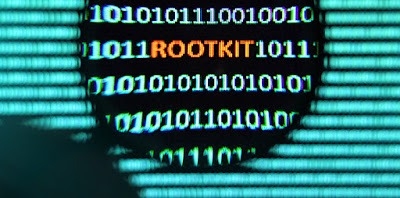
HOW TO DETECT AND REMOVE ROOTKIT?

Image
The use of malicious tools and methods in the IT field never ceases to surprise, and they cause headaches for more than one user on a daily basis. In this note you will know the best way to eliminate a rootkit forever by best antivirus software and by other security tips. What Is A Rootkit? First of all, a rootkit is an application generally used by hackers to disguise or hide a malicious program. Specifically, a rootkit manages to hide the files that make it easier for malware to enter the system. A rootkit is capable of starting a rogue program when the hacker manages to connect to some port. For obvious reasons, this manages to fool the user, who does not suspect that something strange is happening on their system. Similarly, it is important to clarify that there are specially designed rootkits for each operating system, be it Windows, Linux or any other. Another function of a rootkit is to allow administrator privileges to a user who does not originally have them. This occ...

DIFFERENCE BETWEEN VIRUS AND TROJAN

Image
Viruses and Trojans belong to a group of threats that can enter your computer and seriously damage it or violate your personal data. The group, which also includes worms, adware, spyware or ransomware, is called malware. But, if you are not clear on the difference between a virus and a Trojan, keep reading, because in this blog we are going to explain it to you & we will tell you how to be stay safe from it using antivirus and other tricks. What Is The Difference Between A Virus And A Trojan? Although the names that each particular threat receives can generate some confusion and lead to think that everything is the same, it is necessary to know that there are great similarities, but also great differences between a virus and a Trojan. One of the similarities is that a virus enters a computer camouflaged within an executable file, a link, an apparent program. The Trojan accesses our PC in the same way. In other words, in both cases it is the same user who unintentionally activ...

WHAT IS COMPUTER WORM & HOW IT AFFECTS US?

Image
The fundamental difference between a worm and a virus is the way in which it spreads copies of itself to non-infected machines. For a definition of a computer worm, think of worms as self-sufficient malware capable of running and proliferating without user interaction. You don't even have to be using your computer for the worm to activate, replicate, and spread. Once the worm has reached your computer, it can begin to spread immediately. To stop it use an antivirus software and we will also discuss few points in this blog ahead. What Is A Computer Worm? Worms are actually a subclass of viruses, so they share characteristics. They are programs that make copies of themselves, hosting them in different locations on the computer. The objective of this malware is usually to collapse computers and computer networks, thus preventing users from working. Unlike viruses, worms do not infect files. What Do Computer Worms Do? The main objective of worms is to spread and affect as many...

CAN YOU DISTINGUISH BETWEEN MALWARE, SPYWARE AND VIRUSES?

Image
Could you detect if your computer has been infected with any of them? If you want to find out what they are and what their differences are, you are in the right place. But most important of all, let's see how you can protect yourself against spyware, virus or malware. Is having an antivirus enough to keep your computer safe? Or do you need specific tools for each of them? What Is Malware, Spyware And Computer Virus? Surely you know that all these names perform some "bad" action for your device. However, there are several differences between these three concepts. To understand them better, let's first see what each of them is. What Is Malware? The word malware comes from malicious software or what is the same, malicious software. The function of such software is to infiltrate and / or damage your device without your consent. This is the generic term or general category that is given to all types of malicious programs that can damage your computer such as v...

SECURITY TIPS TO STAY SAFE IN THIS INTERNET WORLD

Image
Since we are in a world of digital where everything is digital and because of this a large part of our daily life is spent in some way connected to the network, whether for work, study or leisure. It is necessary to know some tips to be safe online and in this way prevent our information from being stolen by hackers or cybercriminals. So, here are few points you should keep in mind to be save in this world of internet: 1. Beware Of Phishing The phishing is a term used to describe the methods used by cybercriminals to obtain your sensitive data mainly on social networks but also through phone calls, email or supplanting companies like your bank. It will be taking away all your information, and personal data. 2. Keep Your Antivirus Updated You should get a good antivirus software for your PC that also protects against malware. If you have a Mac, do not trust Apple's slogan that says that it is not possible for one of its computers to be infected with viruses because there h...

HOW TO REMOVE MALWARE FROM YOUR DEVICE?

Image
You may not realize it, but your computer is constantly in danger of being infected with malware which not only affects its proper functioning, but could also put your privacy including financial information at risk. What to do if your PC or Mac is infected with malware. If you think your computer is affected by computer viruses, we will teach you how to eliminate them, no matter what operating system you use. How To Remove A Virus From A Computer? Most people use computers with Windows operating systems, precisely the most vulnerable to malware attacks, although Linux and Mac OS X are not safe either, so it is necessary not only to take precautions but also to know how to proceed against a possible infection. If you want to protect yourself, you need to update your system periodically, the same with the antivirus software application you have, although that does not make you immune to viruses, worms, Trojans and ransomware, among others. In case of detecting an infection, eit...

IS ANTIVIRUS SOFTWARE DEAD?

Image
Have you heard? Antivirus software is dead, at least according to Symantec. But they are still making Antivirus and want to sell it to you, so what does this statement mean? Antivirus software is still useful. It is an important layer of security. But now more than ever, you shouldn't rely solely on antivirus software. Traditional antivirus software doesn't detect many threats. Why Is Antivirus Software "Dead"? In an interview with the Wall Street Journal, Symantec senior vice president of information security Bryan Dye said antivirus software "is dead." Traditional antivirus software detects viruses in two main ways. One is through virus signatures, for which your antivirus software regularly downloads updates. The antivirus company discovers a new piece of malware and releases an update for it. When your antivirus finds a program file, it analyzes that file to see if it matches any known malware. If the file matches known malware, it is locked. An...

A VIRUS THAT WILL MAKE YOU CRY

Image
Ransomware: The Silent Threat WannaCry (which can be read as "I want to cry") is the ransomware, an aggressive type of computer virus that enters victims' PCs through an email attachment and once installed, begins to encrypt information from the computer user, hiding it and encrypting it with mathematical algorithms so that its recovery is impossible. In this article I will explain why it is dangerous, how to protect yourself using an antivirus and how to fix it if we get infected. In this way, this worm hijacks the user's valuable information and begins to spread through emails automatically sent to other users and also through the network to other unprotected computers. A real headache for the entire company, because this aggressive bug will lose a lot of valuable information and also operating time to the organization. What Is the WannaCry Virus? WannaCry is a massive computer virus type 'ransomware' (which encrypts computers) that is infecting compu...

WHAT IS FORM JACKING AND HOW IT STEALS OUR DETAILS?

Image
There are many threats that we can find when surfing the Internet. Many types of attacks that can compromise user data and information. Luckily there are also many tools like antivirus software and other security tools that we can use to defend ourselves. Today we are going to talk about form jacking. We will explain what it is and how it can put our information and bank details at risk. We will also give some practical tips to avoid being a victim. What Is Form Jacking And How Does It Steal Bank Details? Electronic commerce has grown a lot in recent years. More and more users are choosing this way to make their purchases. It is a comfortable, fast and safe way, as long as we take precautions. The problem is that many of the latest threats are aimed at stealing banking information. That's what form jacking is all about. When we talk about form jacking, we refer to the technique that cybercriminals use to intercept the information we put when buying online. When we enter a page...

HOW ANTIVIRUS DETECTS MALWARE?

Image
Antivirus is that tool that we constantly mention in our articles and whose functionality is essential to preserve the integrity of the information and the systems that manage it. It protects all our data, information and keep us safe. In this article we will show you some details and characteristics of this basic cybersecurity tool. What Does An Antivirus Do? An antivirus is a type of software whose main objective is to detect and block malicious actions on the computer, generated by any type of malware and, in the event of an infection, to eliminate it. Currently, this type of software is part of what are known as suites of security tools that incorporate other functionalities: password managers, Wi-Fi network analyzers or blockers of malicious websites such as those used in phishing campaigns. Malware Detection Antivirus incorporate a large number of functions. Today we are going to focus on how they detect malicious code. To do this, they mainly have two types of protectio...

Popular posts from this blog

WHY YOU NEED A QUALITY ANTIVIRUS AND SECURITY?

HOW TO STAY UP TO DATE ABOUT KEEPING DATA SAFE?

THE ROLE OF ANTIVIRUS SOFTWARE IN IT SECURITY